


Using Assessment Reports
Using Abelson Reports – Comparison Report: What is it and what does it do?

Using Abelson Reports – Comparison Report: What is it and what does it do?

Ever want to have a report that focuses on how two different people can work better together?  Or ever want to measure how much the same person has changed their behavior or what motivates them over time?  And what if the same report works well for onboarding new staff either as a coach, a manager, or a team leader?  Our comparison report was developed to do all of these things.

The length of the report depends on the number of sciences you want to look at or compare.  The report has information from two people on the same page of the report.  For example, one page has “How to Communicate” with each of the two people.  It is a set of bulleted items that are great for having conversations with others.  The next page is “How NOT to Communicate” with both people on the report.  The report consists of 15 to 25 pages of these comparisons.  The more sciences, the longer the report.  It is a fantastic report.  

Let’s visit the report and one of the many pages; the How to Communicate page.  This page gives a list of as many as a dozen ways how to communicate with the person.  On the comparison report, there are two lists, one for each person looked at by the report.  How to use the report is very easy.  Step 1: turn to the “How to Communicate” page.  Step 2: read all the items listed for you on that page and circle the check mark or bullet in-front of those items you agree are true. Step 3: share the items you marked that you want to discuss with the other person who is also on the report with you.  Step 4: both of you discuss how you are going to use this information to better communicate, interact, and work with each other.  Take notes or not.  It’s that easy.  As a coach, how might this help you work with a new client?  As a manager, how might this help to work with a new staff person?  There are dozens of ways this one page is useful.  Imagine having a dozen or so pages, each this useful.  

Click here to see a sample report –OR- Click here for a complimentary Comparison/On-Boarding report.

(You need to have two people who have taken an Abelson assessment for us to generate your complimentary Comparison/On-Boarding report.)
Click here to enroll in our half day program showing you have to get the most from our Comparison/On-Boarding Report

Value to the Organization – Suggested Uses & Recommended Ways to Use Reports

Value to the Organization – Suggested Uses & Recommended Ways to Use Reports

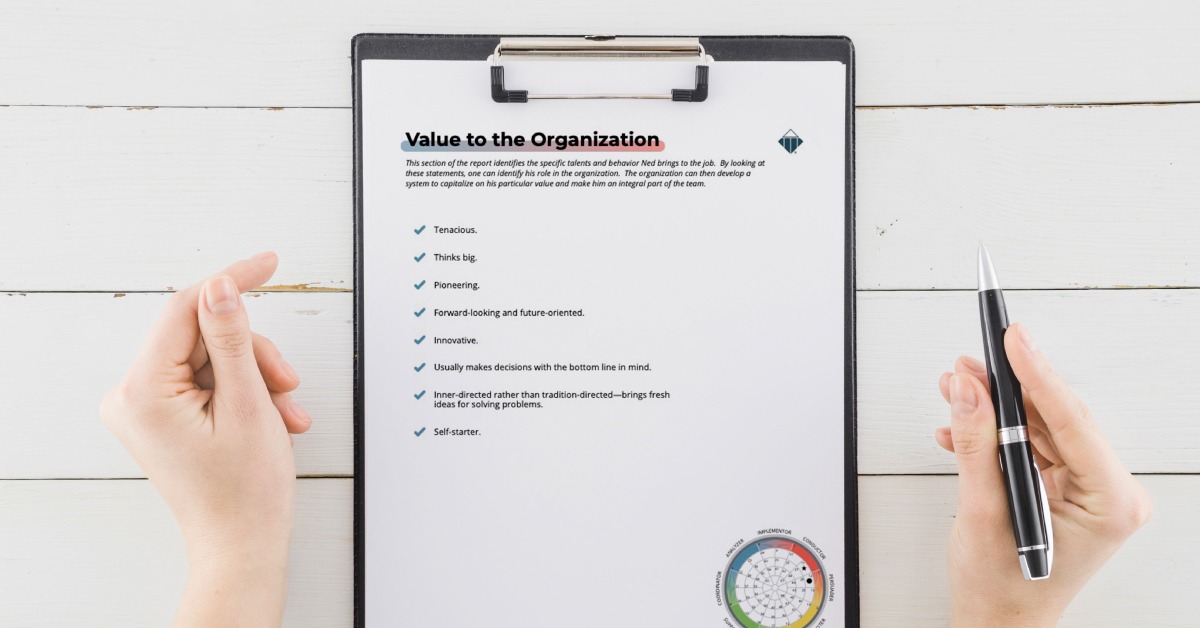
Do you want to know the strengths of someone?  Do you want to know what they can’t do well?  Why not get them to volunteer for those tasks that use their strengths and stay away from their weaknesses?

Get the answers to the above questions by using the “Value to the Organization” page of the Abelson report you get from us.   Use this page of the report for hiring, onboarding, strengthening your teams, and reassigning people to the jobs that best use their capabilities.

read more…
Here’s The Easy Way For You To STOP Wasting Time

Here’s The Easy Way For You To STOP Wasting Time

“I never waste time!” It’s others who waste my time! How do I stop that?

Here’s the BAD news! No matter the reason for wasting time, it’s YOUR responsibility to manage your time.

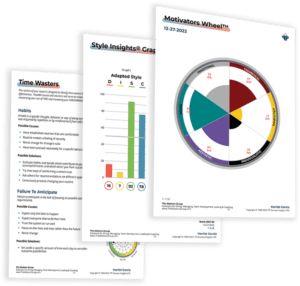
Here’s the GOOD news! It’s not that difficult if you have a structure to follow. This article shows you how to use our DISC and Motives report to STOP wasting time. I also include an example of how I personally used that part of the report to help me stop wasting time. The “Time Wasters” section of our DISC / Motives report tells you three things:

read more…
Stop The Turnover Revolving Door by Using Reports from Abelson

Stop The Turnover Revolving Door by Using Reports from Abelson

Staff turnover is expensive!  A common “rule of thumb estimate” suggests it cost 25% to 200% of a leaving staff’s annual compensation each time someone leaves.  For example, an inexpensive staff person may receive a salary of $40,000 a year.  Add an additional $10,000 for health care, social security, medicare, and other fringe benefits and their annual cost is really $50,000.  Using our “rule of thumb estimate,” each of these staff that leaves costs the employer anywhere from $12,500 to $100,000.  Ouch!!!  Have several staff with a $40,000 a year salary leave in the same year and the costs go through the roof.

read more…

Pin It on Pinterest

0
    0
    Cart
    Empty CartYour cart is empty
      Calculate Shipping
      Apply Coupon